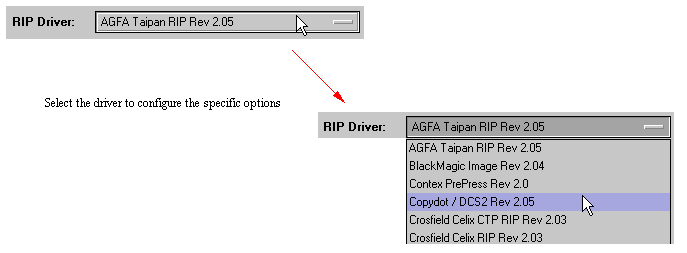
We have added support for copydot scanners or other devices that save in copydot format that do not have an 8 bit boundary in the file. Previously this would give a decompression error. If you are unsure how your file is constructed, try running with the default mode which looks for the 8 bit boundary. If you get a decompression error try turning the 8 bit boundary detection off. This can be found in the customise window of the copydot rip select. Go to the RIP's control panel and create a copydot configuration which uses the copydot filter.
After selecting the rip driver the customise button will be available for selection. Click the button and the option window will appear.
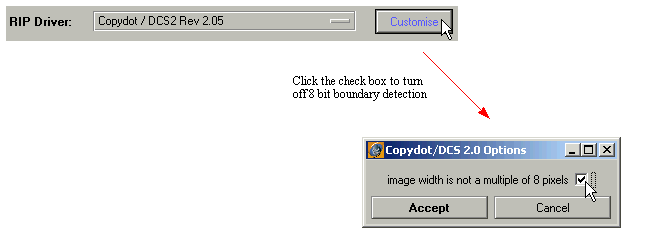
After making the changes, click the Accept button and save the RIP configuration.