
We have added full support for the Techsage SpinJet 1000 which can output double sided imposition proofs on an HP1050 and HP1055. There is a new driver that is licensed with the HP drivers. You need to create a new printer and select the Techsage driver and then alter the values under the customise button to suit the requirements for your workflow.
Create a new printer and select the Techsage SpinJet driver.
Then create a new pagesetup that uses the newly created printer. Select the customise button to show the options available.
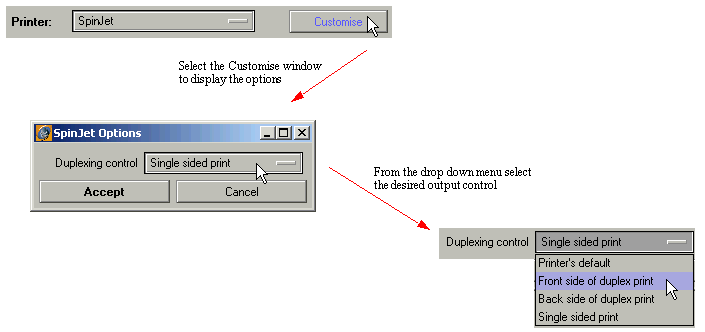
For correct operation of duplex printing, you must configure at least two pagesetups to feed the printer. The configuration of each depends on your workflow but a typical method is to configure the first pagesetup for front sided and the second for back side, but rotate the backside by 180 degrees.
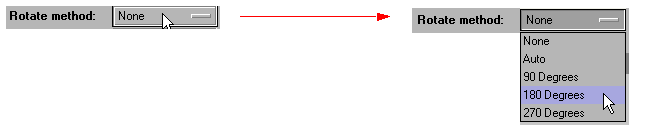
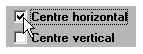
Depending on if you use work and turn or work and tumble you may not need to rotate the back side. If you want the front and back to align then select centring horizontal.
Note: You must submit the jobs in the correct order. For two sides, the first one in the imaging queue will be the front side and the second will be the back side.